BDG Game Payment Operations Guide
Deposit and withdrawal help for BDG Game (bdg game) — follow what you see in the official app.
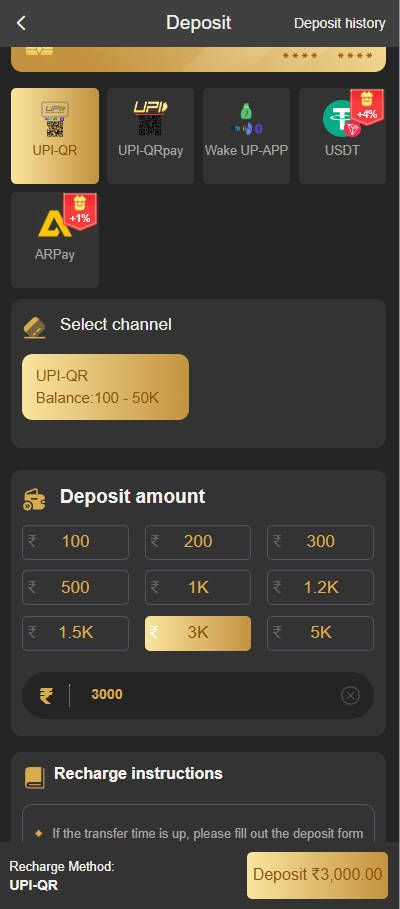
Step 1: Deposit (UPI & in-app channels)
For many Indian players, UPI is offered inside the recharge flow when available. Available methods, labels, and presets can change by region and app version—always use the options shown on your screen.
- Select amount: Pick a suggested amount or enter one within the min/max shown in-app. The screenshots may not match today’s live limits.
- Channel selection: Choose the payment method the dashboard lists for you (for example UPI or a linked wallet). Completion time depends on your bank and network—not every transfer is immediate.
- Reference / UTR: After paying, copy the UTR or reference number from your bank or UPI app receipt and enter it exactly where the app asks. Reference length and format can vary by bank—use what appears on your receipt.
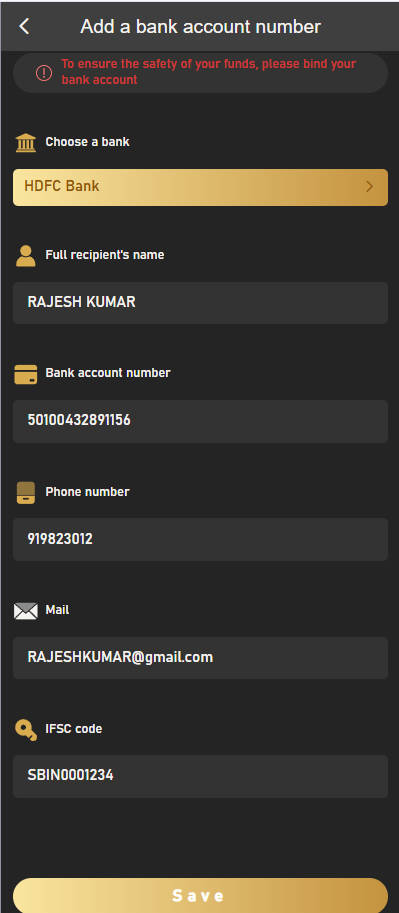
Step 2: Withdraw to your bank
The withdrawal screen usually asks for verified payout details (for example a linked bank account). BDG Game routes payouts through the flows and partners shown in-app; timing and eligibility can depend on verification and risk checks.
Withdrawal rules (check in-app)
- Limits: Minimum, maximum, and fees are shown on the live withdrawal page and may change.
- Frequency: Daily or rolling limits (if any) are displayed in the app—do not rely on fixed numbers from this guide.
- Support hours: Processing may run on a schedule; if a queue shows “Processing”, wait for an update or contact official support through the product.
*Tip: IFSC and account number must match your registered name and bank records. Typos are a common reason for delays or rejection.
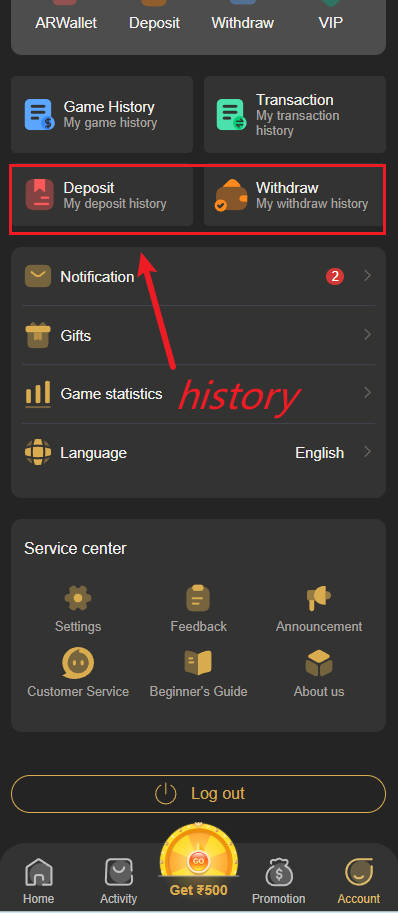
History & status
BDG Game typically shows a log of deposit and withdrawal activity similar to the screenshot—wording and tabs can differ by build.
If a recharge is pending, open Deposit History (or the equivalent tab) and read the status shown there. Labels like “Completed” or “Processing” are for orientation only; refresh later or use in-app support if a payment stays stuck after a reasonable time.
Payment FAQ
Q: What is the minimum deposit?
A: The lowest allowed amount and presets appear on the recharge screen when you start a payment. This page does not set min/max—your bdg game dashboard does.
Q: Why does withdrawal say “Processing”?
A: Many requests move through review, bank cut-offs, or extra checks. Allow time, confirm bank details, then use official in-app support if it stays pending beyond what the app indicates. Daily attempt limits (if any) are shown live—don’t rely on old screenshots.
Q: I paid but balance did not update—what now?
A: Double-check the reference / UTR you pasted against your UPI or banking receipt. Open the matching order in history and correct typos if the app allows. Never share OTPs; only enter references in the official flow.
⚠️ Use the official BDG Game distribution linked from bdg88.cc or the app store flow you trust. Do not share UTR, OTP, or passwords with third parties.
Must be 18+ to use payment features. Play responsibly.